Starting a book sounds exciting… until you actually sit down to write.
You might be wondering: Where do I even begin? What tool should I use? Do I need expensive software?
The good news is—you don’t. Today, there are powerful free book writing apps for beginners that make writing, organizing, and editing your book easier than ever.
In this guide, I’ll walk you through the best options, what features to look for, and how to choose the right free book writing app based on your goals.

Search Intent: What Are You Looking for?
This topic is primarily informational with light transactional intent.
You’re likely:
- Looking for a simple, free tool to start writing
- Comparing apps before choosing one
- Trying to avoid complicated or expensive software
So let’s keep it simple, practical, and beginner-friendly.
What Makes a Good Free Book Writing App?
Before jumping into recommendations, it’s important to know what actually matters.
A good free book writing app for beginners should offer:
1. Simple Interface
You don’t need a tool that feels like rocket science. Clean, distraction-free writing is key.
2. Organization Features
Look for:
- Chapter breakdowns
- Notes sections
- Easy navigation
3. Cloud Access (Optional but Helpful)
Being able to write anywhere on your laptop or phone can be a huge advantage.
4. Export Options
Your app should let you export your work as:
- Word document
- ePub (for publishing)
5. Basic Editing Tools
Spell check, formatting, and readability features are a must.
Best Free Book Writing Apps for Beginners
Let’s explore the top tools you can start using today.
1. Google Docs – The Simplest Starting Point
Best for: Absolute beginners
Google Docs is one of the easiest ways to start free book writing without downloading anything.
Key Features:
- Cloud-based access
- Auto-save (no lost work)
- Easy sharing and collaboration
- Simple formatting tools
Why it works:
You can focus purely on writing without distractions.
Limitations:
- Not ideal for managing large books with many chapters
2. Reedsy Book Editor – Built for Authors
Best for: Writers who want structure
Reedsy offers a free book editor designed specifically for authors.
Key Features:
- Chapter-based organization
- Professional formatting
- Export-ready files for publishing
- Clean writing interface
Why it stands out:
It feels like a professional publishing tool, but it’s free.
3. LibreOffice Writer – A Free Alternative to Word
Best for: Offline writing
If you prefer working without internet access, LibreOffice is a great option.
Key Features:
- Full word processor
- Advanced formatting tools
- Works offline
- File compatibility with Word
Limitations:
- Interface feels slightly outdated
4. FocusWriter – Distraction-Free Writing
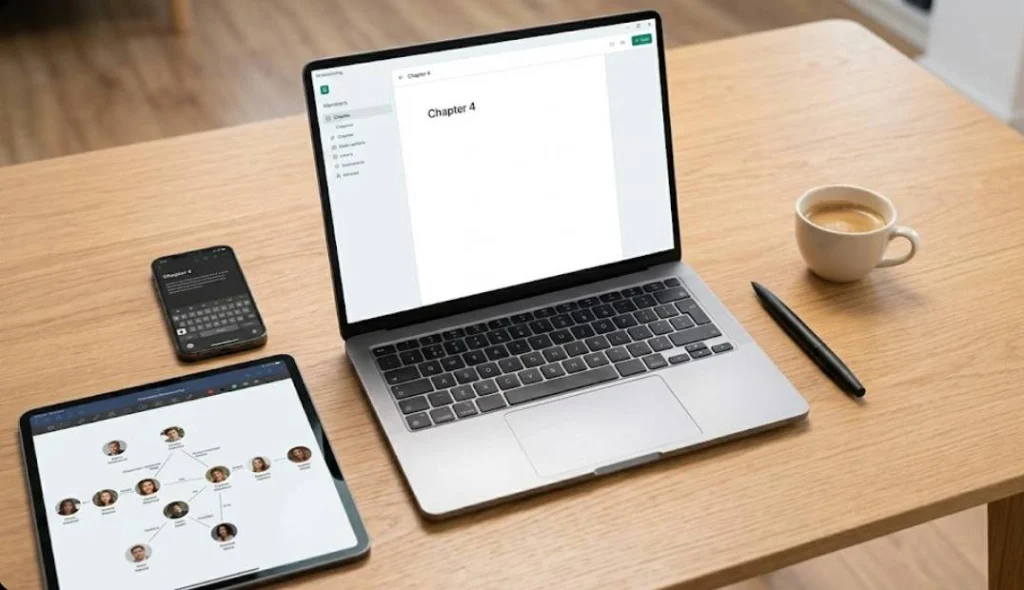
Best for: Staying focused
If distractions kill your productivity, this tool is perfect.
Key Features:
- Full-screen writing mode
- Minimal interface
- Daily writing goals
- Timers and progress tracking
Why beginners love it:
It helps you build a consistent writing habit.
5. yWriter – Designed by an Author
Best for: Organizing complex books
yWriter breaks your book into chapters and scenes automatically.
Key Features:
- Scene-based organization
- Character tracking
- Project management tools
- Progress tracking
Why it’s powerful:
It helps you think like a storyteller, not just a writer.
If you’re new to writing, understanding the basics of self-publishing can also help you plan your book journey better
Quick Comparison Table
| App Name | Best For | Cloud Access | Ease of Use |
| Google Docs | Beginners & simplicity | Yes | Very Easy |
| Reedsy Editor | Structured writing | Yes | Easy |
| LibreOffice Writer | Offline writing | No | Moderate |
| FocusWriter | Distraction-free writing | No | Very Easy |
| yWriter | Story organization | No | Moderate |
How to Choose the Right App for You?
Not every tool fits every writer. Here’s how to decide.
Choose Google Docs if:
- You want something quick and easy
- You’re just starting your first book
Choose Reedsy if:
- You want professional formatting
- You plan to publish your book
Choose FocusWriter if:
- You struggle with distractions
- You want to build a writing habit
Choose yWriter if:
- You’re writing fiction
- You need help organizing scenes and characters
Tips for Beginners Using Free Book Writing Apps
Having the right app is just the start. Here’s how to actually make progress.
1. Start Small
Don’t try to write a full book in one go.
Instead:
- Write 300–500 words daily
- Focus on consistency
2. Don’t Edit While Writing
This is a common mistake.
Write first. Edit later.
3. Use Chapters Early
Even if your book isn’t finished, organize it into chapters from day one.
It makes everything easier later.
4. Back Up Your Work
Even if your app auto-saves:
- Keep a backup copy
- Export your work weekly
5. Set Realistic Goals
Instead of saying:
“I’ll finish a book this month.”
Try:
“I’ll write 500 words daily.”

Common Mistakes to Avoid
Overcomplicating Tools
You don’t need advanced software to write a great book.
Switching Apps Too Often
Stick with one tool. Constant switching kills momentum.
Waiting for the Perfect Setup
The best free book writing app for beginners is the one you actually use.
FAQs: Free Book Writing Apps for Beginners
1. What is the best free book writing app for beginners?
The best option depends on your needs. Google Docs is ideal for simplicity, while Reedsy Book Editor is great for structured writing and publishing-ready formatting.
2. Are free book writing apps good enough to write a full book?
Yes, many free tools offer everything you need, from writing and editing to organizing chapters. Many authors successfully complete entire books using free apps.
3. Do I need internet access to use a free book writing app?
Not always. Tools like LibreOffice and FocusWriter work offline, while Google Docs and Reedsy require an internet connection for full functionality.
4. Can I publish my book using a free writing app?
Yes, most apps allow you to export your manuscript in formats like PDF, DOCX, or ePub, which are compatible with publishing platforms.
5. Which free book writing app is best for novels?
yWriter is a strong choice for novel writing because it helps you organize scenes, characters, and chapters effectively.
6. Are free writing apps safe for storing my manuscript?
Most reputable apps are safe, especially cloud-based tools with auto-save features. However, it’s always a good idea to keep backup copies of your work.
7. Can I use a free book writing app on my phone?
Yes, many apps like Google Docs offer mobile versions, allowing you to write and edit your book on the go.
8. Do free book writing apps include editing tools?
Basic editing tools like spell check and formatting are included in most apps. However, advanced editing features may require separate tools or professional editing services.
9. Is it better to use free or paid book writing software?
For beginners, free tools are more than enough. You can always switch to paid software later if you need advanced features.
10. How do I choose the right free book writing app?
Focus on ease of use, organization features, and whether you prefer online or offline access. The best app is the one that helps you write consistently.
Conclusion
Writing a book doesn’t require expensive tools or complicated software.
The right free book writing app can help you:
- Stay organized
- Build consistency
- Focus on what matters—your story
If you’re just starting out, keep it simple. Choose a tool like Google Docs or Reedsy and start writing today.
Ready to Start Your Book?
Don’t let confusion stop you from writing your first book.
Start with a simple free book writing app for beginners, build your habit, and take the first step toward becoming an author.
If you want professional help with structuring, editing, or publishing your book—talk to us today and turn your idea into a finished manuscript.